
OptionStrat - Options Toolkit
OptionStratFinance
4.3158.00 Reviews
- Version
- 1.3.1
- Installs
- 100.00K
- Age Rating
- Everyone
Screenshots
Our Review of OptionStrat - Options Toolkit
 Analysis by Appyee
When I’m considering an options trade, I want to understand the shape of the risk before I decide whether it deserves more attention. That is where OptionStrat - Options Toolkit can help: it gives me a way to explore options strategies and their possible outcomes without treating a quick calculation as a trading decision. I see it as a planning companion, especially useful when a position has more moving parts than a simple call or put.
A useful starting point, not a shortcut
I would open the app with a specific question in mind: what might this strategy look like if the underlying price moves, time passes, or volatility changes? That is a more productive starting point than browsing strategy names at random. Option tools can make a complicated position look tidy on a screen, but a clear payoff picture is not the same thing as a reliable forecast. I still need to think about the assumptions behind the setup and whether the trade fits my own risk limits.
For a newcomer, the first hurdle is usually vocabulary. Calls, puts, strikes, expirations, and volatility all affect the result, and it is easy to mistake a diagram for an explanation. I would take time to learn what each input represents before comparing strategies. For a more experienced trader, the app’s value is less about discovering that options have risk and more about checking how the parts of a proposed position interact.
That distinction also helps answer who should skip it. If you want a broker that places and manages trades, this is not a substitute for one. If you are looking for a simple investing app that hides derivatives behind a beginner-friendly buy button, an options toolkit may feel like unnecessary complexity. I would use it when I am prepared to examine a trade, not as a reason to start trading options before I understand them.
First Impressions: Sleek and Intuitive
Upon opening OptionStrat, I was greeted by a clean, user-friendly interface. It’s like walking into a well-organized office where everything is exactly where it should be. The app’s design is modern without being overwhelming, which is a huge plus when you’re already dealing with the intricacies of options trading. Whether you’re a seasoned trader or a newbie, navigating through the app is a breeze.
OptionStrat is a free finance app from OptionStrat, with optional in-app purchases priced from about twenty dollars to over four hundred dollars per item. It has an average rating of 4.3 from around 1,400 ratings, and more than 100,000 installs. It is rated for everyone, though the subject matter is aimed at people who want to understand options rather than children looking for general-purpose finance tools. The app first appeared in December 2020, and version 1.2.58 supports Android 6.0 and later.
Feature-Packed Powerhouse
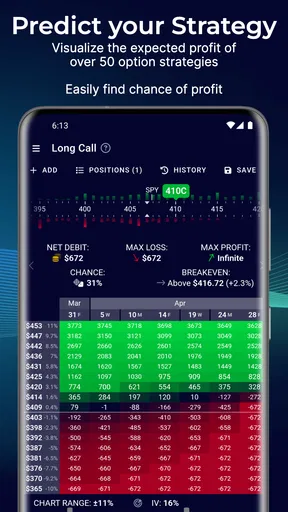
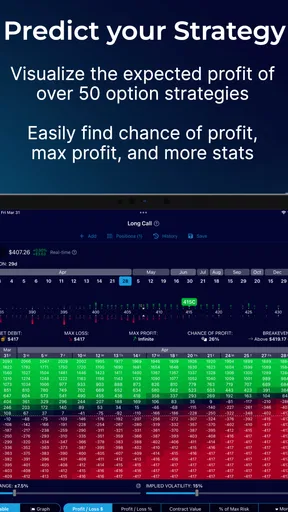
Let’s dive into the features because that’s where this app really shines. One of the coolest aspects is the strategy visualizer. It allows you to simulate different options strategies and see how they might play out in real time. For someone like me, who prefers a visual aid to make sense of numbers, this feature is a lifesaver. You can tweak parameters like strike prices, expiration dates, and implied volatility to see how they impact your potential profit and loss.
My practical workflow is to build one position, inspect its payoff shape, and then change only one assumption at a time. If I adjust the strike and expiration together, I can see a different outcome but may not know which change caused it. Changing one input at a time makes the comparison more useful: I can ask whether a different strike improves the payoff profile, or whether the apparent improvement depends on accepting a different kind of risk. That small discipline turns a visualizer into a better learning tool.
Another standout feature is the profit calculator. It’s like having a mini financial advisor in your pocket. You input your trade details, and it spits out potential outcomes, allowing you to make informed decisions. No more guesswork or relying solely on gut feelings!
I would treat those figures as scenario estimates, not promises. Options outcomes can be sensitive to the inputs, and a neat projected result does not remove execution costs, changing market conditions, or the possibility that my assumptions are wrong. Before acting, I would compare the result with the trade’s worst plausible outcome and ask whether I am comfortable with it. The calculator is most helpful when it exposes a weakness in a plan, not when it merely confirms the result I hoped to see.
Turning a market idea into a testable plan
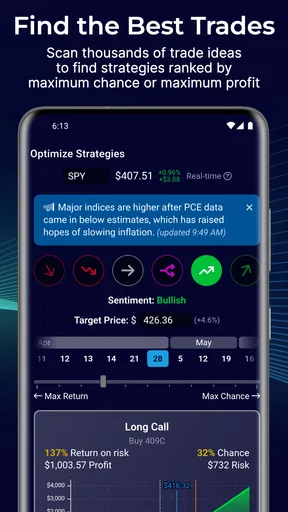
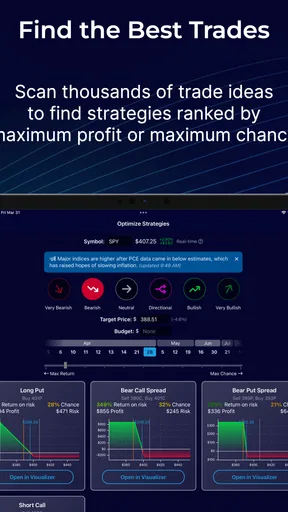
A realistic use case is a trader who has a view on a company but is unsure whether to express it with a simple option or a multi-leg structure. Rather than jumping straight to an order, I can use the visualizer to map the proposed position, then inspect what happens across different prices and assumptions. If the payoff only looks attractive under a narrow set of conditions, that is a reason to pause. If I cannot explain why I chose each leg, I have more homework to do.
A less obvious habit is to save or note the reasoning outside the chart: what I expected to happen, what could invalidate that view, and what loss would make me uncomfortable. A graph can help compare alternatives, but it cannot decide whether the trade belongs in my portfolio. Keeping the thesis separate from the picture also makes it easier to revisit the decision later without rewriting my reasoning to match the outcome.
This is also where the app differs from the usual alternatives. A broker’s options chain is closer to execution: it is useful when I am checking contracts and preparing an order, but it may not be the clearest place to compare the overall payoff of several strategies. A spreadsheet offers more freedom, yet I have to build and maintain its formulas. OptionStrat sits between those approaches as a dedicated analysis aid. I would still hand off to my broker to verify the live contract details and place any trade; the analysis screen should not be treated as an order ticket.
Educational Resources: Knowledge is Power
For those just dipping their toes into the world of options, the app offers a wealth of educational resources. From detailed guides to video tutorials, it’s like having a personal mentor available 24/7. The resources are well-organized, making it easy to find what you need without sifting through a mountain of information.
What I appreciate most is that the app doesn’t just throw information at you. It guides you through the learning process, ensuring you understand the why and how behind each strategy. This approach makes it easier to retain information and apply it in real-world scenarios.
I would use those learning materials alongside a specific question rather than trying to absorb everything in one sitting. For example, if a strategy’s payoff diagram surprises me, I can look up the concept I have misunderstood, then return to the same setup and see whether the explanation changes how I read it. That loop—test, notice a gap, learn, and test again—is more valuable than memorizing strategy names.
Still, educational material inside a trading tool should not be confused with individualized financial advice. A guide can explain how a strategy behaves in general; it cannot know my finances, experience, or tolerance for loss. If I cannot explain the risks in my own words after using the resources, I would not treat the position as ready to trade.
Real-Time Data and Alerts
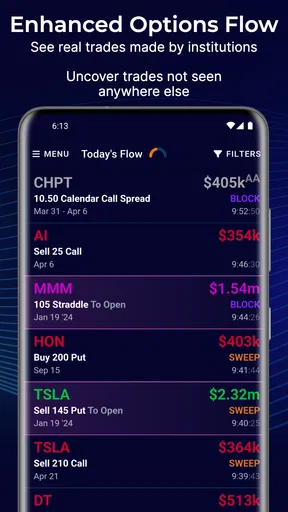
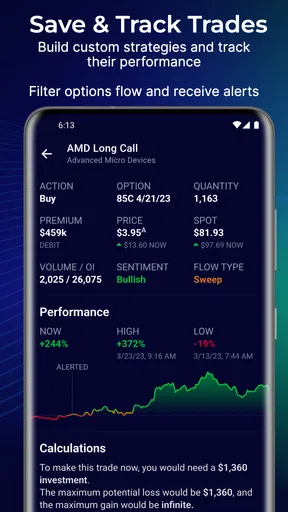
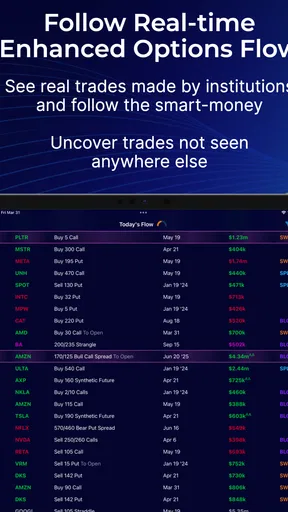
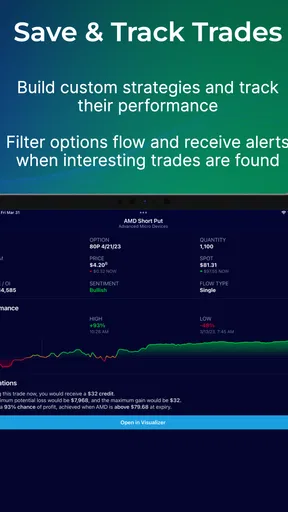
In the fast-paced world of trading, having access to real-time data is crucial. OptionStrat delivers with up-to-the-minute market data and news alerts. You can customize alerts to keep you updated on the latest market movements and changes to your watchlist. It’s like having your finger on the pulse of the market, ensuring you never miss a beat.
The data is presented in an easy-to-digest format, with charts and graphs that make complex information understandable. It’s perfect for those moments when you need to make quick decisions and don’t have time to get bogged down in details.
In everyday use, I would set alerts around a short watchlist I genuinely follow, not every ticker that catches my eye. Too many notifications can turn useful monitoring into noise and encourage rushed decisions. An alert is a prompt to review the situation, not an instruction to trade. When one arrives, I would check the underlying idea, the position’s assumptions, and the broker’s current contract information before doing anything.
That handoff matters because a planning tool and a brokerage account serve different jobs. I can use the app to reason through a possible structure, then check the actual quote and order details where I trade. Market conditions can move between those steps, so I would not assume that a previously reviewed scenario still describes the opportunity in front of me.
Where the workflow can break
The biggest friction is not the interface; it is the risk of becoming overconfident because the interface makes a complex position easier to see. A payoff chart can simplify the view, but it cannot make a trade simple. If I feed in a mistaken assumption, a polished result can still be misleading. I need to check the inputs carefully and remember that a scenario is a model of possibilities, not a guarantee of what the market will do.
There is also a learning curve even if navigation feels straightforward. The app can help me inspect options, but it cannot remove the need to understand how the contracts work. Beginners who want a gentle introduction to investing may find broad educational material or a conventional stock-investing app a better first step. Likewise, someone who only needs to place a straightforward trade may prefer to work directly in a broker’s tools rather than add another stop to the process.
The free starting point makes it possible to explore the app before deciding whether paid items are relevant. I would not assume a purchase is necessary just because it is available; first I would identify which parts of my actual workflow I use and whether they address a real need. That is a sensible way to judge optional spending in a specialist finance app, especially if I am still learning whether options analysis belongs in my routine.
Final Thoughts: A Must-Have Tool
So, is OptionStrat - Options Toolkit worth downloading? Absolutely. Whether you’re just starting out or have been trading for years, this app offers a suite of tools that can enhance your trading strategy. Its combination of educational resources, strategy visualizer, and real-time data makes it a comprehensive package for anyone looking to succeed in options trading.
I would qualify that recommendation: it is worth trying if you already have a reason to analyze options and are willing to check your assumptions. It is not a magic signal service, a replacement for careful research, or a promise that a projected profit will appear. Its strongest role is helping me compare possible structures and recognize when a trade’s payoff is less appealing than I first thought.
In a world where the market can be unpredictable, having a tool like OptionStrat at your disposal can make all the difference. It’s not just about surviving the trading game; it’s about thriving. So, if you’re ready to take your options trading to the next level, give this app a try. You might just find it becomes an indispensable part of your trading toolkit.
Verdict
Strengths of OptionStrat - Options Toolkit
- Intuitive interface for easy navigation.
- Comprehensive option strategy analysis.
- Real-time market data updates.
- Customizable alerts for price changes.
- Educational resources for beginners.
Limitations of OptionStrat - Options Toolkit
- Limited free features without subscription.
- Occasional lag in data refresh.
- No support for cryptocurrency options.
- Requires internet for full functionality.
- Advanced features may overwhelm novices.
Similar Picks in This Category
View All
Google Wallet
Google LLC4.3

Airtel: Recharge, Bank & Loans
Airtel4.0

PayPal - Pay, Send, Save
PayPal Mobile4.2

DANA Indonesia Digital Wallet
PT Espay Debit Indonesia Koe4.5

Binance: Buy Bitcoin & Crypto
Binance Inc.4.8

Cash App
Block, Inc.4.7
Frequently Asked Questions
What is OptionStrat and how does it work?
OptionStrat is a comprehensive options trading toolkit designed to help traders visualize and analyze their options strategies. It provides tools for strategy building, profit and loss simulations, and real-time data integration. Users can input various parameters to see potential outcomes of their trades, making it a valuable resource for both beginners and experienced traders.
Is OptionStrat suitable for beginners in options trading?
Yes, OptionStrat is beginner-friendly. It offers intuitive tools and detailed visualizations that simplify complex options strategies. The app includes educational resources and guidance to help new traders understand the basics of options trading, strategy creation, and risk management, making it an excellent starting point for novices.
What features does OptionStrat offer to enhance trading strategies?
OptionStrat provides a range of features including a strategy builder, profit and loss simulations, implied volatility analysis, and access to real-time market data. These features allow traders to customize and optimize their strategies, visualize potential outcomes, and make informed decisions based on current market conditions.
Are there any costs associated with using OptionStrat?
OptionStrat offers both free and premium subscription options. The free version includes basic features and limited access to tools, while the premium subscription unlocks advanced functionalities, such as real-time data and enhanced strategy options. Users should review the pricing details to determine which plan best suits their needs.
How can users ensure their data and privacy are protected in OptionStrat?
OptionStrat takes data privacy seriously, implementing robust security measures to protect user information. It uses encryption and secure protocols to safeguard data and ensures that personal information is not shared with third parties without consent. Users can review the app’s privacy policy for more details on data protection practices.
